Pre-requisites
Pre-requisites
1. Major League Cyber
Create an account on Major League Cyber
2. Capture The Flag
Connect to Capture The Flag server using your Major League Cyber’s credentials
Authorize this workshop to access your profile
You are redirected to
Challengesthat are questions asked duringExercisesin eachLab.
3. Site ID and region
A dedicated environment is created for each user
Ask F5 instructor for your
{{site_ID}}and your{{region}}During Labs, reuse those variables in command lines. For example replace
{{site_ID}}by 1
4. Jumphost
Logging into your lab System:
Copy-paste private SSH key here to a local file
jumphost.keyOn Mac/Linux, modify the rights of your local file
jumphost.keywith the command: below:
chmod 600 jumphost.key
On Windows use SecureCRT or Putty: download jumphost.ppk for Putty.
Open an SSH session to
jumphost-aksdistrict{{site_ID}}.{{region}}.cloudapp.azure.com. Log in as usercyberauthenticated with private keyjumphost.key.
ssh -i jumphost.key cyber@jumphost-aksdistrict{{site_ID}}.{{region}}.cloudapp.azure.com
Elevate your privilege:
sudo su -
Get your kubeconfig:
cat .kube/config
5. Lens
Donwload Lens here
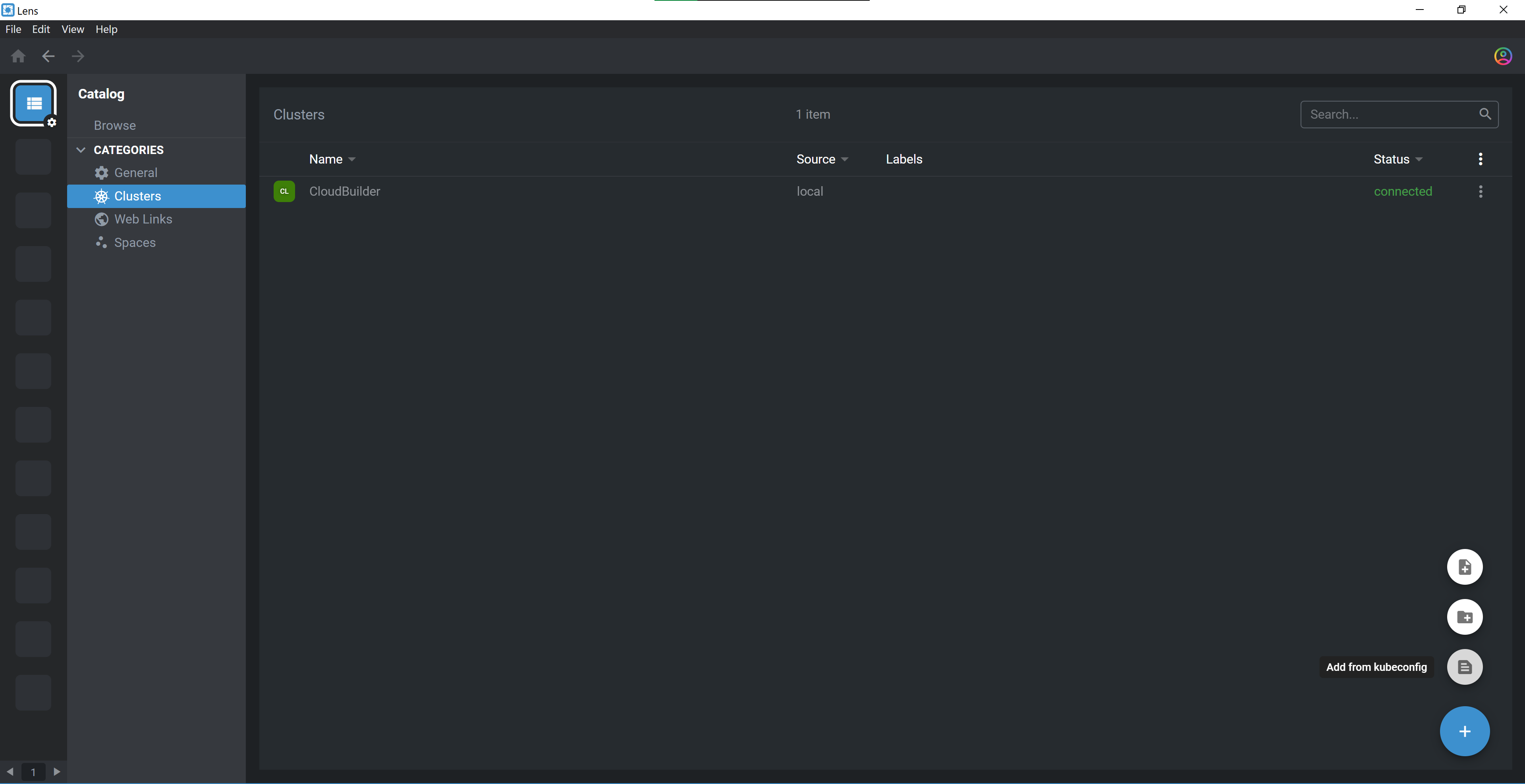
Install and run Lens
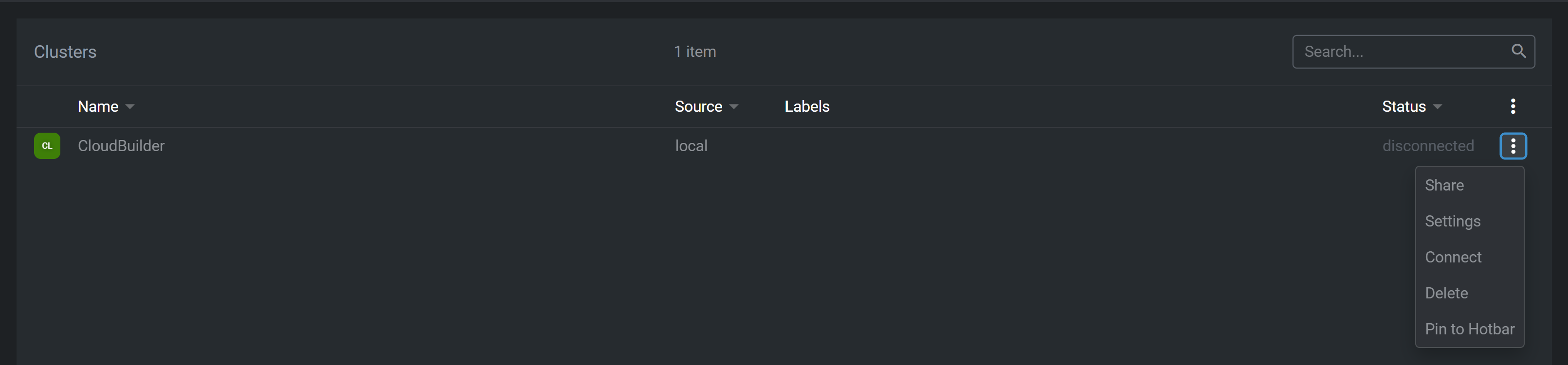
Add your AKS cluster in Catalog by copy-paste the output of
cat .kube/configget in the previous step
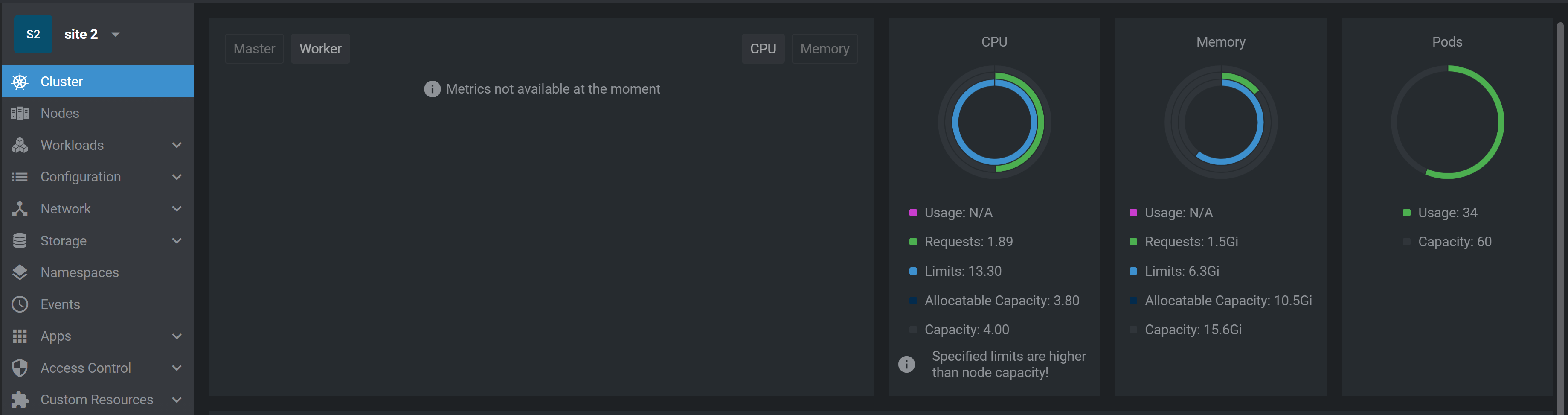
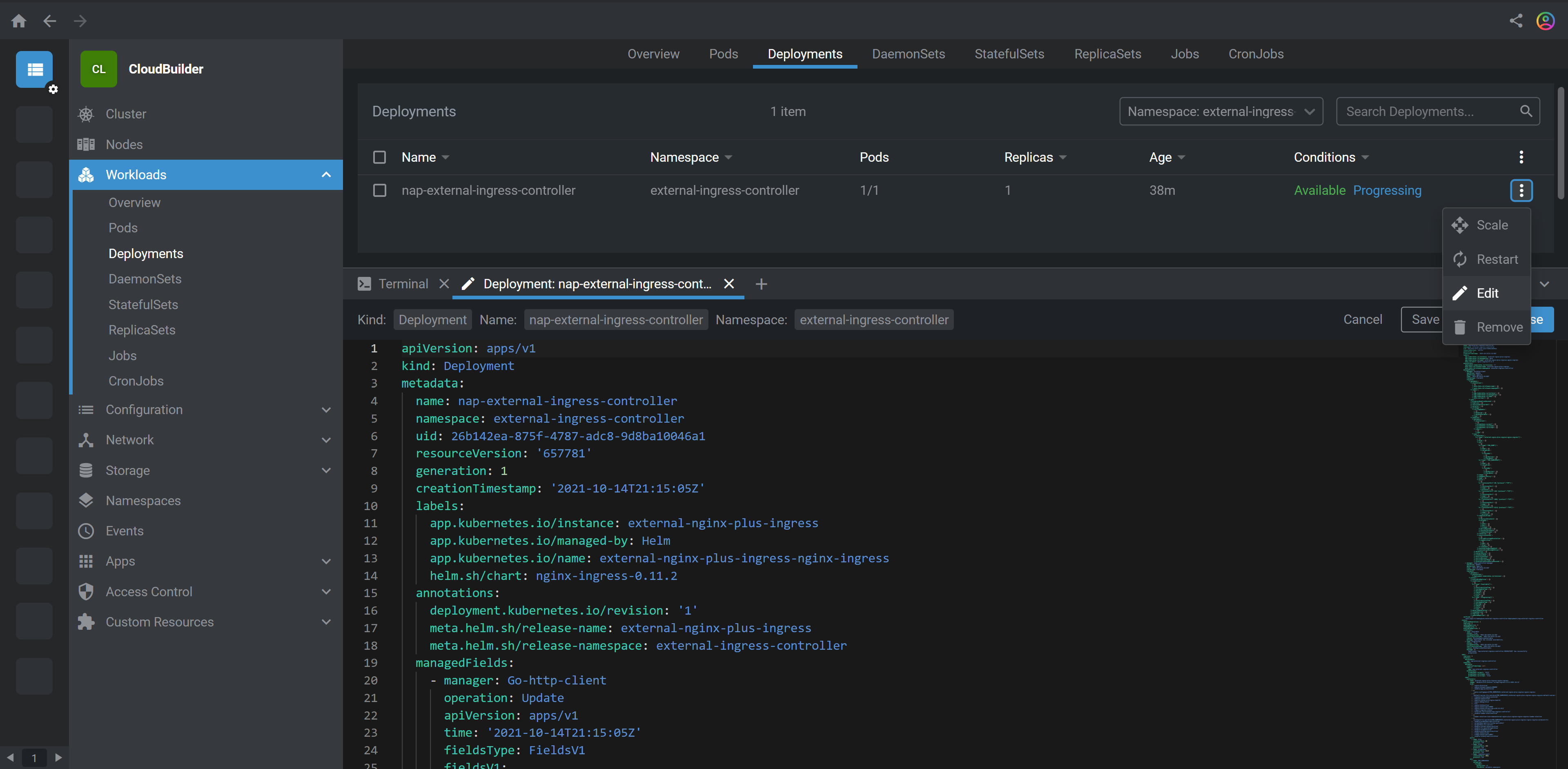
If you see any charts for CPU, Memory as shown in the picture below, stop here. If not, you are running an older version of Lens, so continue further steps.
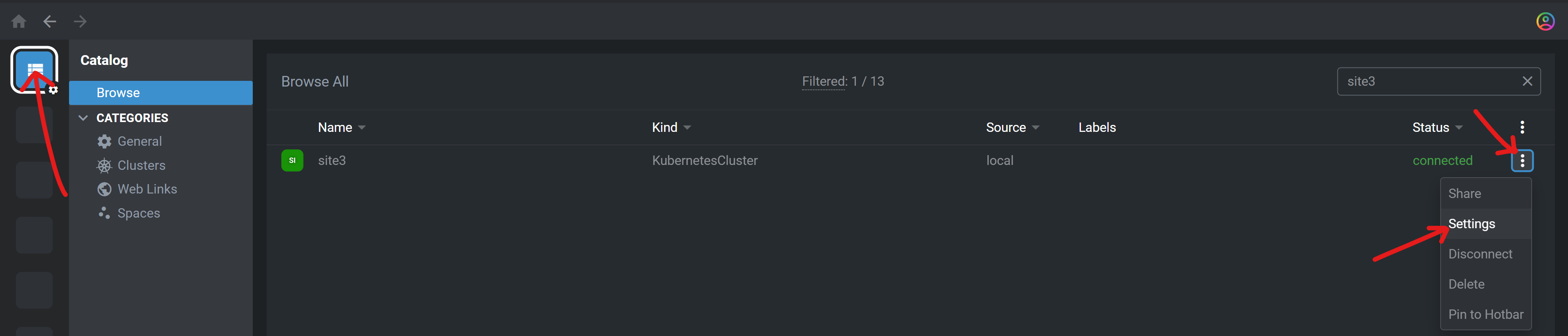
Edit cluster settings
- Edit
metrics: PROMETHEUS:
Prometheus OperatorPROMETHEUS SERVICE ADDRESS:
monitoring/prometheus-kube-prometheus-prometheus:9090
- Edit

Connect to cluster
Browse into your cluster
6. NGINX Controller
Share your Public IP address to F5 instructor using monip.io
F5 instructor will allow your Public IP
Connect to NGINX Controller
Login / Password: devops{{ site_ID }}@f5cloudbuilder.dev / NGINXC0ntroller!
7. Knowledge
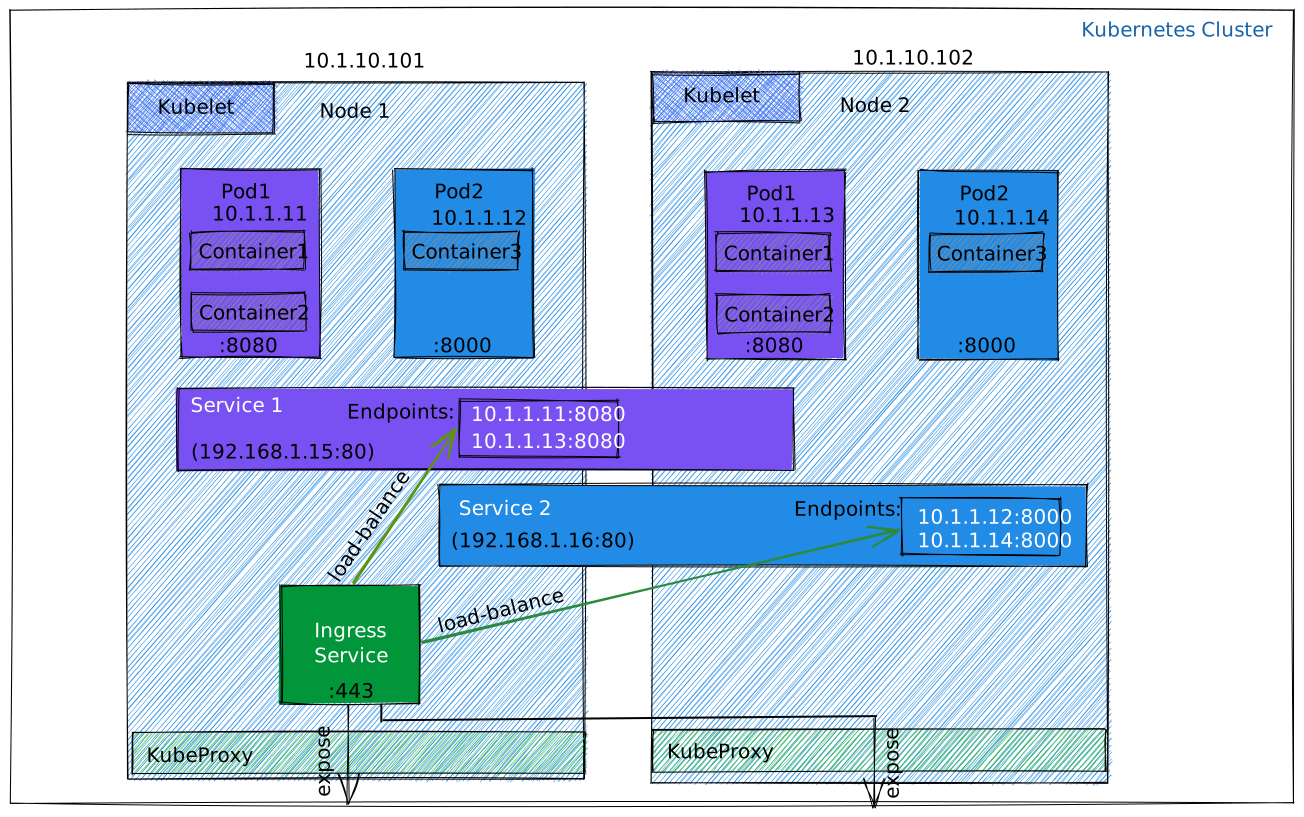
The architecture of labs shows microservices application deployed to Azure Kubernetes Service (AKS). It uses a basic AKS configuration that can be the starting point for most deployments. Participating to this lab assumes a basic knowledge of Kubernetes as described in this Kubernetes Networking 101 lesson.
Optionaly, you can also read this article that introduce you to infrastructure and DevOps considerations of running a microservices architecture on AKS.
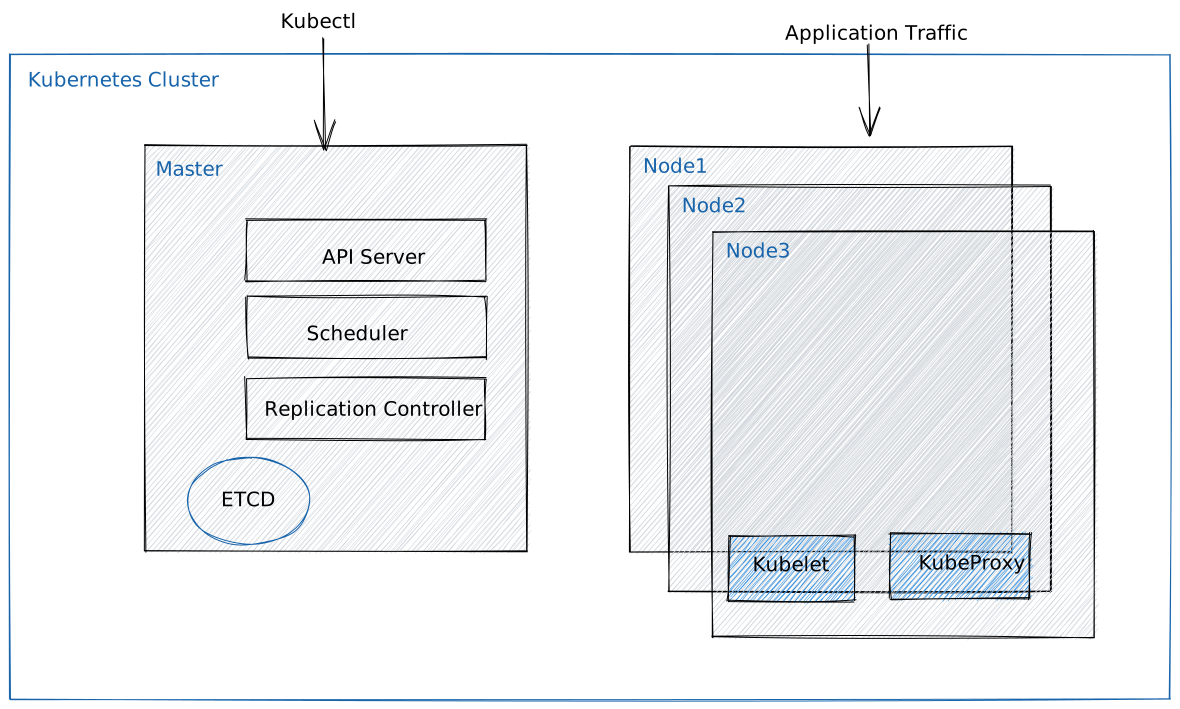
Kubernetes components
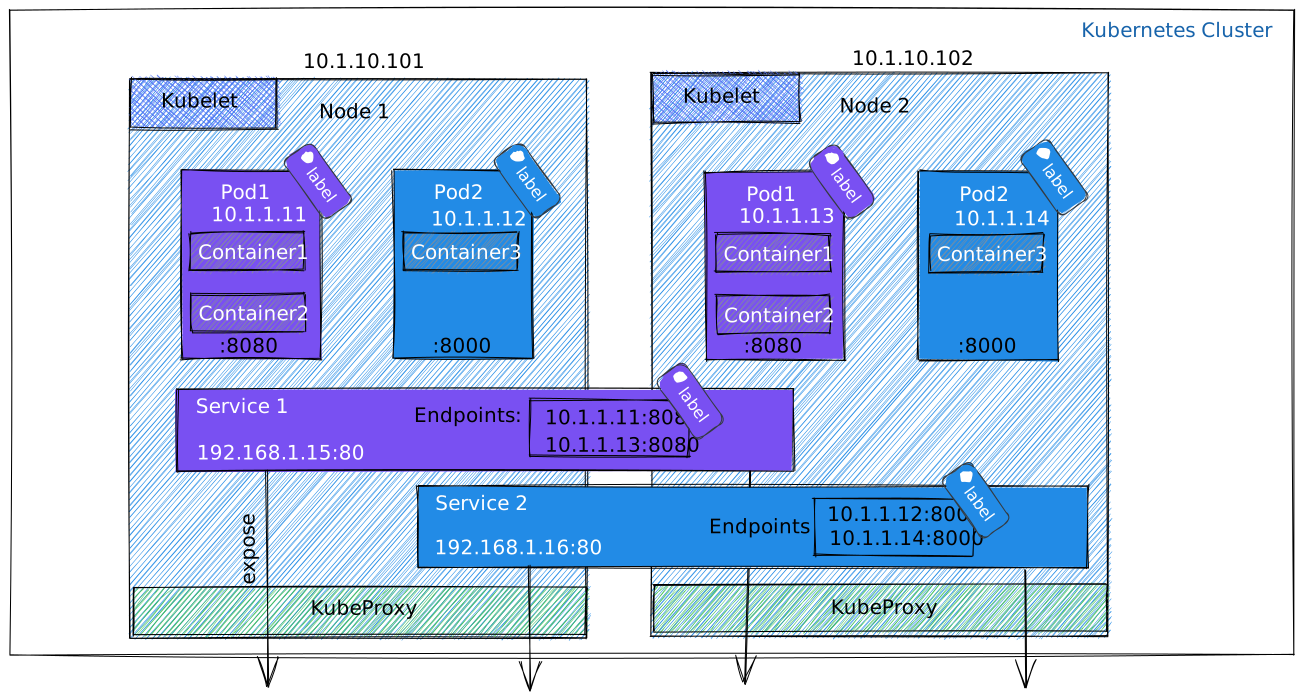
Container, POD, Service
Ingress Service